
Technology
How Jendie vehicle tracking works
End to end
From the vehicle to your screen
Vehicle
Ignition, movement, speed and power state.
Tracker
GPS unit fixes position and records events.
Mobile network
Data is sent from the vehicle over the cellular network.
Jendie platform
Positions and events become trips, alerts and reports.
You
Live map, alerts and immobilise on the app; reports on the web.
1 · In the vehicle
The tracker and its accessories
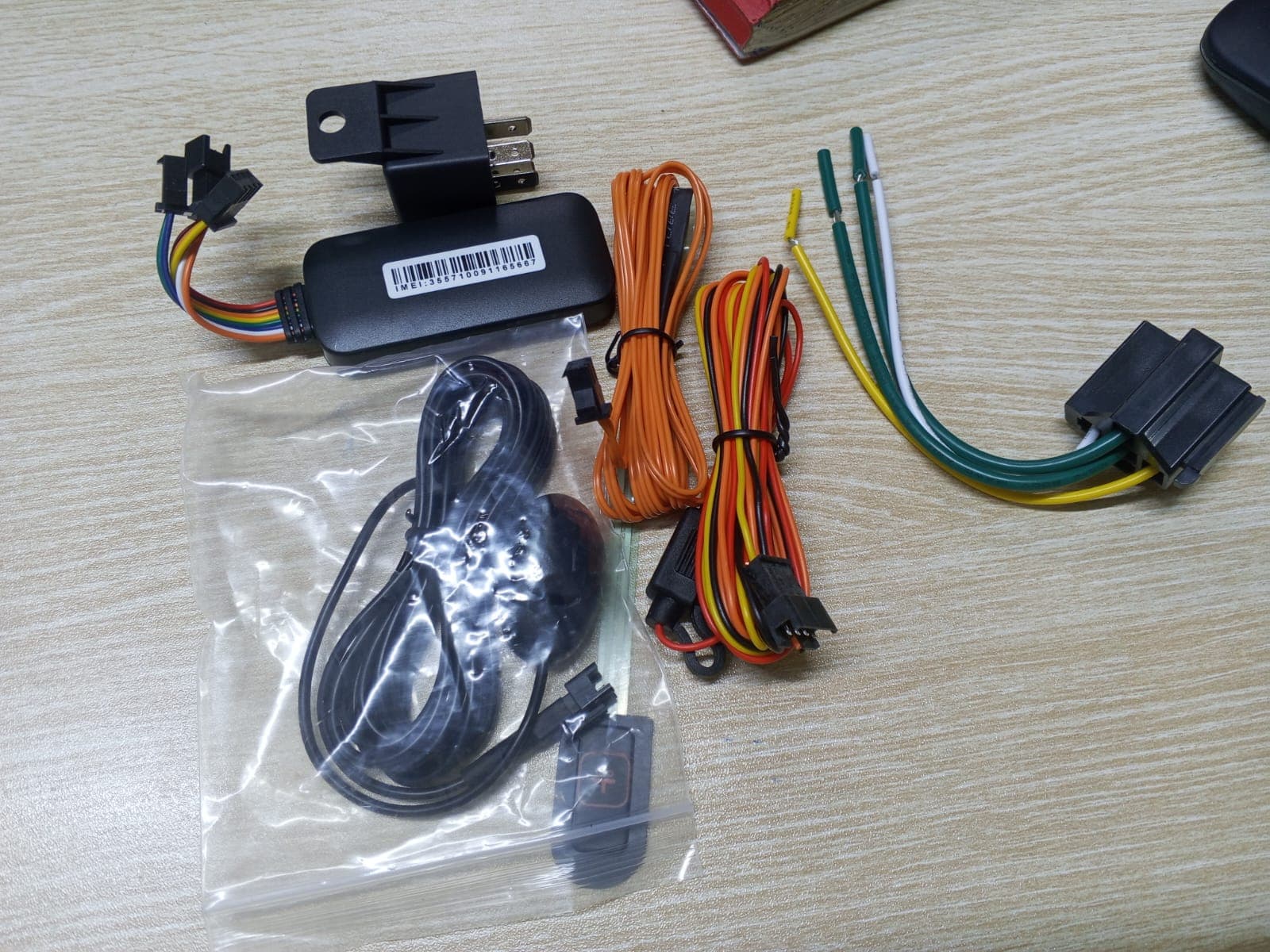
The tracker is a compact unit wired into the vehicle's electrical system and hidden from view. It determines its position by GPS and records events such as ignition, movement and loss of power.
Where remote immobilisation is included, a relay is fitted to the starting circuit so the engine can be prevented from starting. Optional accessories connect to the tracker: a panic button, a fuel-level sensor or a dashcam. A speed governor is a separate device that limits the vehicle's speed itself.
2 · Connectivity
The mobile network
The tracker sends its data over the cellular network using a SIM card. Coverage therefore affects how quickly data arrives: in an area without signal, data is reported once the vehicle regains coverage.
3 · The platform
The Jendie platform
The platform receives each position and event, links them into trips, checks them against the geo-fences and thresholds you have set, and raises alerts. It stores the history behind trip playback and reports.
4 · Alerts
Alerts that tell you when something changes
You choose which alerts you receive, so your phone tells you about the events that matter rather than everything.
- Ignition on and off
- Know when a vehicle is started or switched off.
- Geo-fence entry and exit
- Alerts when a vehicle enters or leaves a zone you have drawn.
- Over-speeding
- Alerts when a vehicle exceeds the speed threshold you set.
- Power disconnection
- An alert if the tracker loses its power supply, a common sign of tampering.
- Panic (SOS)
- A driver-triggered alert with the vehicle's location, where a panic button is fitted.
- Fuel drop
- An unexpected fall in fuel level, where a fuel sensor is fitted.
5 · Your access
App and web platform
Private owners mostly use the iOS and Android app: live location, alerts and immobilise. Fleet managers also use the web platform for the fleet map, reports and user management.
See the app and platformData protection
Who can see your vehicle data
Location history is personal data. Access to a vehicle's data is limited to the account holder and the users they authorise. Jendie staff access account data only to provide and support the service. We handle personal data in line with the Kenya Data Protection Act, 2019.
Read our privacy and data protection notice for what we collect, why, and your rights.
See the platform for yourself.
Ask for a demonstration of the app and web platform when you contact us.